
Some links on this page are affiliate links — marked with aff — and if you buy through them I may earn a small commission at no extra cost to you. Read the full disclosure.
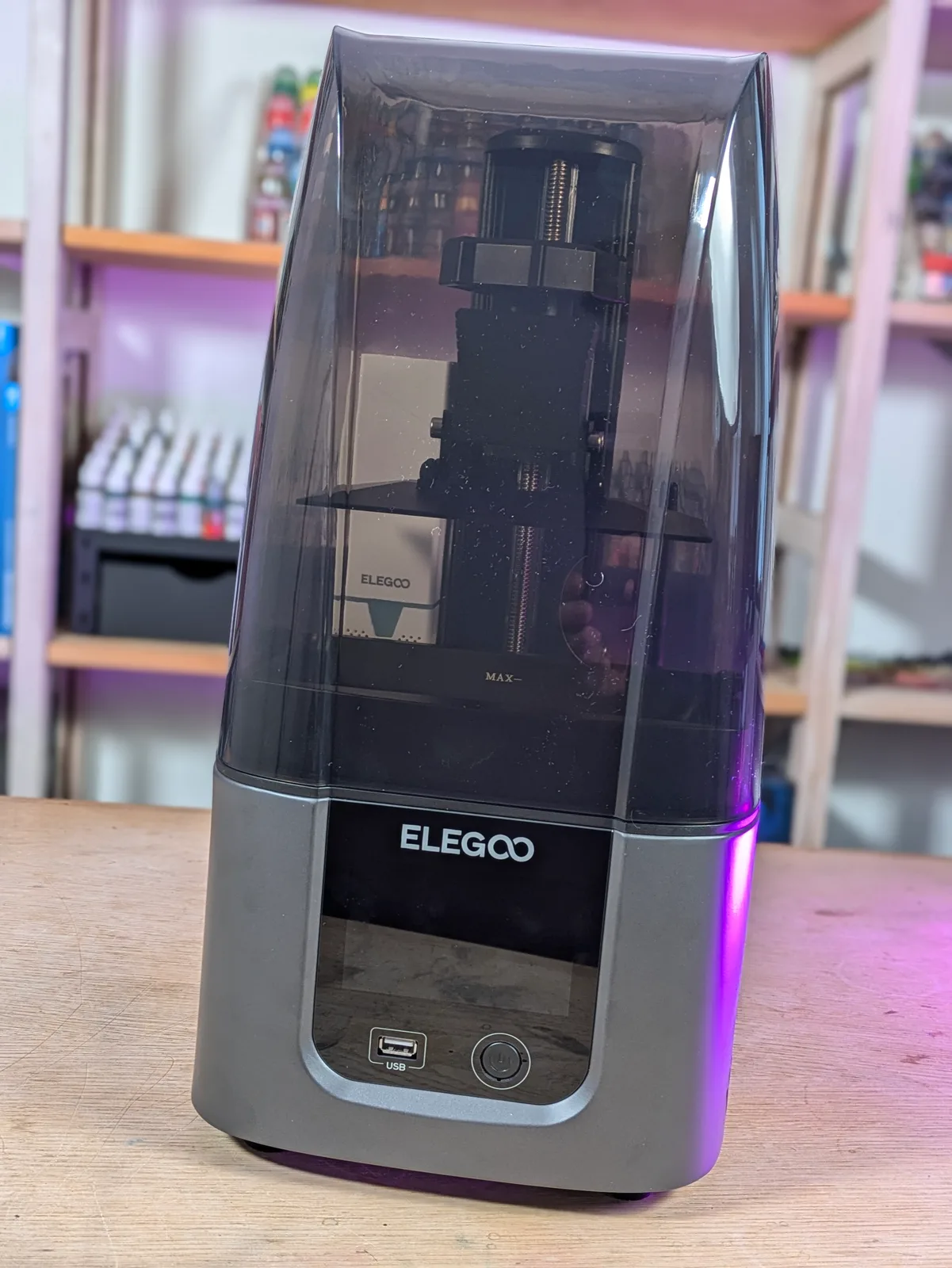
Both the Elegoo Mars 4aff and the Elegoo Mars 4 Ultraaff run the same 18 micron pixels on the same small Mars build volume. The Ultra is named like a clear step up. In practice the price gap is around $20 and the upgrade list is shorter than the model name implies. Worth knowing what you actually get before paying the difference.
The spec collision
Mars 4 at around $149. Mars 4 Ultra at around $170. Both machines share the same generation: released in 2023, 18 micron XY resolution, 153 by 77 by approximately 165 to 175 mm build plate, no auto levelling on either, built-in air filter on both. The build volume difference between the two is so small it will never matter in practice.
What the Ultra adds over the plain Mars 4:
- Tempered glass screen protection
- ACF release film instead of nFEP
- Wifi connectivity
- Anti aliasing support via the .cbt save format
That is the complete upgrade list. Nothing else changes. The pixel size is the same. The print quality on a non-AA job is the same. Understanding whether those four additions are worth $20 is the entire exercise.
The Mars 4 in plain English
The Mars 4 is, in Peter’s words from the database, genuinely one of the best budget picks in resin printing. You are paying for no smart features and no speed tricks, just 18 micron pixels in a small tidy machine. The pixel size at 18 microns is not going to meaningfully improve for miniature work without diminishing returns you would need a magnifier to spot. For practical purposes this is a future-proof entry point into resin printing.
With the Mars 5 series now shipping above it, the price on the Mars 4 has stabilised low. That only makes the value argument stronger. If you want an 18 micron printer at the absolute floor of what makes sense to spend, the plain Mars 4 is it.
What it does not have: screen protection, which means a dropped tool or a stray screw is a direct hit on the LCD. It ships with nFEP release film, which works but is not as forgiving as ACF. And it does not support anti aliasing properly.
What the Ultra actually adds
Tempered glass screen protection. The plain Mars 4 has an exposed LCD. The Ultra ships with a tempered glass panel sitting above the screen. The glass acts as a reusable screen protector: it absorbs the impact from dropped tools, errant screws, and the general chaos of a resin printing workflow. The LCD itself stays safe.
ACF film. ACF is a release film with lower peel force than standard nFEP. What that means in practice: supports tear off the plate less often during the lift phase, which matters most on fine print features, thin spear tips, hair, fingers. The improvement is real but not dramatic. If you are printing character miniatures with delicate armatures, you will notice the difference over a few hundred prints. If you are printing terrain and large single-piece prints, you will not notice it at all.
Wifi. Wifi is not a meaningful feature for resin printing. You are standing next to the printer to pour resin, check the FEP, and start the print. Transferring files over wifi rather than USB is a minor convenience at best. The Mars 4 Ultra has it. The Mars 4 does not. Neither answer changes what comes off the build plate.
Anti aliasing support via .cbt. This is the genuinely interesting part of the upgrade. The plain Mars 4 is tied to the .goo slicer format, which has known issues with anti aliasing. The Mars 4 Ultra can save as .cbt instead. If you care about anti aliasing, and for character miniature work you should, the Ultra is the variant to pick.
What the plain Mars 4 still has
The things that actually produce the print are identical on both machines. The 18 micron pixel size is the same. The build volume is the same. The built-in air filter is present on both. The screen generation is the same. If you ran a test print on each machine with anti aliasing disabled and the same file, you would not be able to tell the outputs apart.
The Mars 4 is not a worse printer in any fundamental sense. It is the same printer without screen protection, with nFEP instead of ACF, without wifi, and without .cbt format support.
There is no speed difference between the two. Neither machine has a tilting VAT. Both use the same standard lift and peel cycle. A print that takes four hours on the Mars 4 takes four hours on the Mars 4 Ultra. If speed is the priority, neither machine in this comparison is the answer: the Mars 5 Ultra’s tilting VAT is the feature that changes that equation, and it is a different article.
The air filter deserves a mention because it sometimes gets overlooked in the spec comparison. Both machines include a built-in carbon filter that reduces fume output during printing. If you are printing in a confined space or near other people, this matters more than the screen protection or the film type. The good news is that neither choice costs you the filter: it ships on both variants.
The anti aliasing question
Anti aliasing is a rendering technique that softens the stair-step effect on curved surfaces. On a resin printer, those stair steps appear as visible lines running along the outside of a curved surface: the side of a face, a shoulder pad, a smooth cloak. At 18 microns those lines are finer than they would be on a 24 micron machine, but they are still there.
For most beginners, anti aliasing is a feature they have heard about and not yet used deliberately. For someone printing 28 mm character miniatures with the intention to paint them, anti aliasing makes a real and visible difference on smooth curved surfaces. The stepped edges are less visible. Painted highlights on a smooth cheek look cleaner. The improvement is real but small for most prints and larger specifically on smooth curved geometry and faces.
The practical upshot: if you are printing fantasy or sci-fi character miniatures for painting, the Mars 4 Ultra’s .cbt format support is worth $20. If you are printing terrain, vehicles, or anything with angular geometry, anti aliasing matters very little and the Mars 4 gives you the same output at a lower price.
Tempered glass: the practical insurance argument
A cracked LCD on the Mars 4 is a repair cost of around $50 to $80 for the part, plus the time to disassemble the machine, swap the panel, and check the calibration afterwards. One accident in the lifetime of the printer pays for the Ultra’s price premium several times over.
Even without the accident scenario, the tempered glass does quiet work every session. Every time resin drips from the build plate during removal, every time a scraper slips, every time a tool lands on the printer rather than the workbench, the glass absorbs it. The LCD underneath carries on unmarked.
For almost any owner who plans to keep the printer for a year or more, the tempered glass alone justifies the $20 difference. The fact that the Ultra also adds ACF and .cbt support on top of that makes the argument cleaner still.
The Mars 5 Ultra: the elephant in the room
There is a third option at this price band that deserves a mention before the verdict. The Elegoo Mars 5 Ultraaff sits at around $249, which is $80 above the Mars 4 Ultra. It runs the same 18 micron pixels on the same small Mars footprint, but it adds a tilting VAT that meaningfully shortens print times by reducing peel force, plus auto levelling and RERF support in the menu.
If the $80 above the Mars 4 Ultra is comfortable, the Mars 5 Ultra is the better daily printer. The tilting VAT changes the printing experience in a way that anti aliasing support does not. If the $80 is not comfortable, stay in the Mars 4 family and the rest of this article applies. The full Mars 4 Ultra vs Mars 5 Ultra comparison covers that decision in detail.
Who each one is for
Mars 4 buyer: you have the tightest budget, you will not be printing AA-heavy character work in the near term, and you are comfortable with an exposed screen and nFEP film. The plain Mars 4 is a fine printer and the 18 micron output is identical to the Ultra on any job that does not involve anti aliasing. It is also the right pick if you are buying a printer to test the hobby before committing: at around $149 the entry cost is low, and if you discover resin printing is not for you, the loss is smaller.
Mars 4 Ultra buyer: the $20 difference is comfortable, you want anti aliasing support for character miniatures, and you want tempered glass because you know what resin printing sessions look like in practice and how often something lands somewhere it should not. If you are planning to print for more than a few months, the glass alone makes the Ultra the rational choice. The .cbt format support is a bonus that rewards you every time you run a character face through anti aliasing and notice the stepped edges are gone.
Neither buyer is making a mistake. The resolution and print quality on both machines are indistinguishable on the vast majority of prints. The decision is about which insurance and workflow features are worth $20 to the person standing in front of the printer.
The verdict
The Mars 4 Ultra is the smarter default pick at this price band. Tempered glass alone is worth $20 of insurance over the life of the printer. The ACF film is a meaningful improvement for fine support work. The .cbt format support is a genuine upgrade for character miniature printing. The plain Mars 4 is not a bad printer. The Ultra is the better default.
The framing that clarifies the decision: the Mars 4 Ultra and the Mars 4 print identically on prints that do not involve anti aliasing. The Ultra costs $20 more and adds screen protection that removes one real failure mode, a better release film, and the ability to use anti aliasing on the prints where it matters. For $20 that is an unusually clean deal.
Where the plain Mars 4 still wins is the very tightest budget and the buyer who genuinely has no interest in character miniature work. If you are printing terrain, vehicles, or dungeon furniture, the $20 stays in your pocket with no meaningful loss in output quality.
Both the Mars 4 and the Mars 4 Ultra sit on the buying guide for miniature printing as recommended budget-tier options. That guide also covers the wider context of where the Mars family fits against the Saturn line and the Anycubic alternatives at similar prices. If the buying decision is still open rather than settled at this end of the market, the guide to choosing the right resin printer for miniatures covers the full framework.
If you want to go deeper on slicer format choices and what .cbt versus .goo actually means for your workflow, the Chitubox vs Lychee vs manufacturer slicers comparison covers the format question properly.

