
Buying Guide
Best 3D Printer for Miniatures
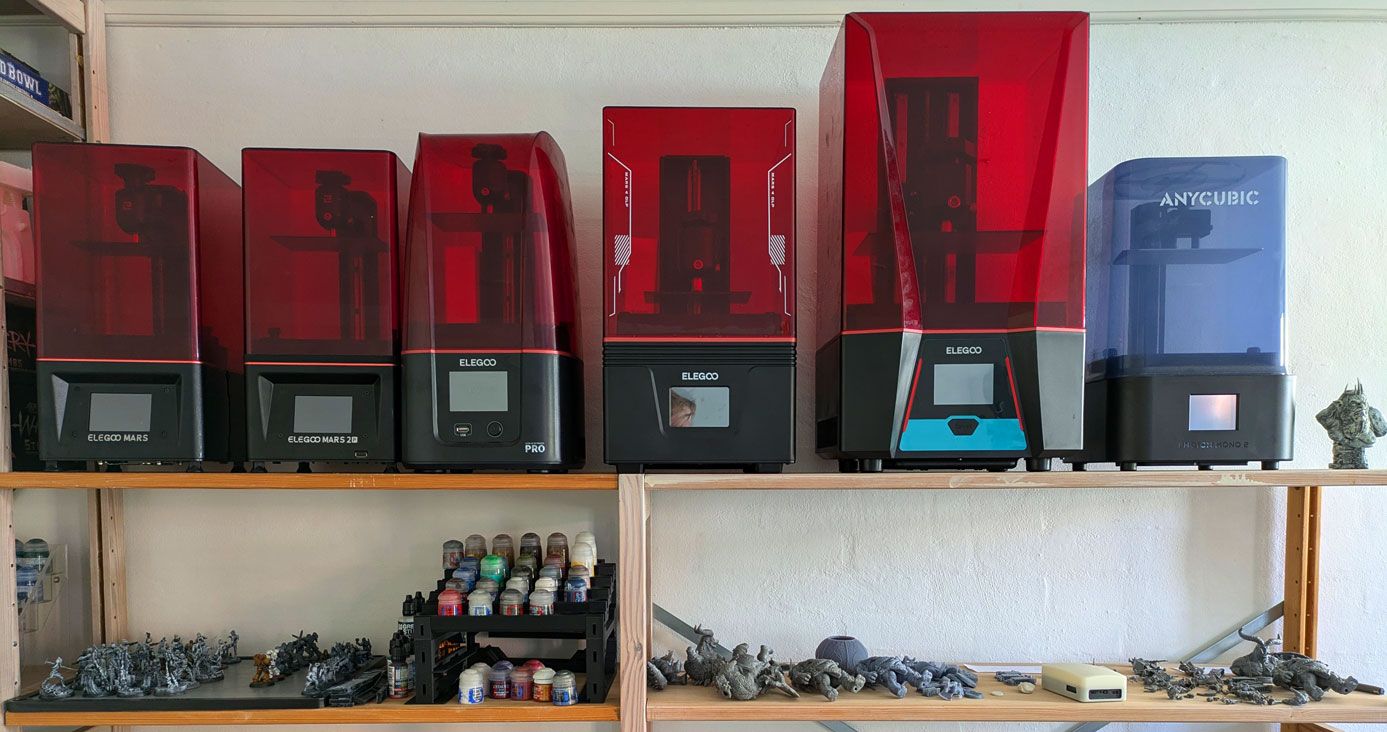
After 27 years of painting miniatures and several years of resin printing, I have watched the market go from unaffordable and unreliable to genuinely excellent at entry-level prices. These are the printers I would actually buy today, and why.
Some links on this page are affiliate links — marked with aff — and if you buy through them I may earn a small commission at no extra cost to you. Read the full disclosure.
What makes a good resin 3D printer for miniatures?
Most resin printers are marketed as general-purpose machines. Miniature printing has specific requirements that narrow the field considerably. The rest of this section covers what those requirements actually are, roughly in order of how much each one affects the finished print.
XY resolution: the single most important spec
XY resolution is the physical pixel size of the LCD screen that masks the UV light. Smaller pixels produce sharper detail. Every other spec on the box matters less than this one.
The bands that matter for miniature work:
- Above 35 microns: visibly soft on faces, filigree, and fine cloth folds. Avoid.
- 25 to 35 microns: fine for most rank and file infantry. Character models will look a touch softer than they should.
- 18 to 24 microns: the sweet spot for miniature hobby work today. Indistinguishable from much more expensive machines at normal viewing distance.
- Below 18 microns: diminishing returns. Hard to see the difference without a magnifier or a photography lens.
Marketing likes to shout about screen resolution, 4K, 8K, 12K, and so on. What matters is the combination of screen resolution and screen size. A 10K screen on a 12 inch plate can have worse XY resolution than an 8K screen on a 7 inch plate. Always look up the XY microns figure rather than trusting the headline number on the box.
LCD screen type and longevity
Monochrome LCDs are the baseline now. Any printer still using a colour LCD is obsolete for miniature work and should be ignored.
LCDs are consumables. They are rated for around two thousand hours of cure time. Heavy users replace them every year, hobby users often get two years or more before seeing noticeable degradation. The first sign of a tired screen is poor first layer adhesion and odd patches in the cure.
Replacement cost varies wildly between manufacturers, from under thirty pounds on a common Elegoo screen to over one hundred on a premium machine. Check this figure before you buy. A cheap printer with an expensive screen is a false economy.
Build volume in practice
Build volume matters less than most people assume. A 7 inch screen holds a full unit of infantry with room to spare. Where build volume does matter is when you want to print terrain or large centrepiece models alongside regular infantry.
Bigger is not automatically better. A larger plate means more resin wasted on failed prints, longer exposure per layer, and harder levelling. For the average miniature painter a mid size Saturn class printer is plenty. A Mars class printer is enough for pure infantry work.
Light source and uniformity
The UV light has to hit every corner of the screen evenly. Poor uniformity shows as edges curing differently to the centre, which wastes resin and causes parts of the plate to fail while others succeed.
Reputable brands publish uniformity figures, budget clones generally do not. A printer with great XY resolution and poor light uniformity will still produce inconsistent prints across the plate. This is one of the reasons the major brands outperform unknown machines at similar price points.
Release film and VAT
The release film at the bottom of the VAT is the thin flexible sheet the print peels off after each layer. It is a consumable. Budget for replacing it every few litres of resin under normal use.
nFEP and ACF films last longer than plain FEP and are worth the small premium. Some printers ship with VATs that are harder to open and clean than they need to be. Not a deal breaker, just a daily irritation that adds up over a year.
Levelling and first layer behaviour
This is where most new owners waste the most time. The first layer is where most print failures start, and a printer that makes the first layer easy saves hours of troubleshooting every month.
Traditional levelling uses a sheet of paper and four screws. It is slow the first time but reliable once you have done it twice. Auto levelling works well on some machines and fights you on others. Read real owner reports, not marketing copy, before trusting any auto level claim.
Slicer support and ecosystem
Every resin printer needs a slicer. Chitubox and Lychee dominate the market and both support the vast majority of machines. Manufacturer slicers vary from excellent to barely usable.
Check that the printer you are considering is supported in the slicer of your choice before buying. A healthy community with tested resin profiles saves weeks of trial and error, especially on a first printer.
Build quality and vendor reliability
A printer with great specs and a vendor who ignores warranty claims is worthless. Elegoo, Anycubic, and Phrozen have the biggest user bases and the most responsive support for English speaking customers.
Smaller brands sometimes offer better specs on paper but can disappear overnight. A printer from a discontinued brand can become an expensive paperweight if the LCD fails and spares are no longer available. This is a real risk at the cheaper end of the market.
Running costs that nobody mentions
The sticker price is a starting point. The ongoing costs add up.
- Resin: roughly twenty to sixty pounds a litre, depending on brand and type
- LCD replacement: every one to two years of heavy use
- Isopropyl alcohol or water, depending on whether you use standard or water washable resin
- Nitrile gloves, FEP film, plastic scrapers, paper towels, kitchen roll
- Electricity, which is genuinely negligible compared to the rest
The first twelve months of running costs often equal or exceed the price of the printer itself. Budget accordingly.
Noise, smell, and ventilation
Modern resin printers are quiet enough to live in a bedroom. The smell varies from mild to genuinely unpleasant depending on the resin in use. Standard greys are usually tolerable, speciality resins can be harsh.
Every resin printer needs ventilation. An open window works in warm weather, an extractor fan or purpose built enclosure works year round. This is the single most overlooked part of the setup for first time owners, and the one most likely to end the hobby prematurely if ignored.
A note on brands
The table below includes printers from Elegoo, Anycubic, Phrozen, UniFormation, Creality, and HeyGears. Elegoo dominates the recommendations because they have consistently produced the best value for money at the Gen 4, Gen 5, and Gen 6 level. That may change. Phrozen teased a next generation machine at Formnext 2025 and the Elegoo Jupiter 2 landed in April 2026 at 16K on a large plate. The table is updated as new models are released.
Common mistakes when choosing your first printer
These are the mistakes I see first time buyers make repeatedly. None of them are fatal, but they all cost money or time.
- Buying the biggest plate you can afford. A larger plate wastes resin on failed prints, slows every layer, and makes levelling harder. For pure miniature work, mid size is plenty.
- Chasing the highest screen resolution on the box. 12K is meaningless without the screen size to match. Look up the XY microns figure, not the K number.
- Trusting generic review sites. The reliable review sources for resin printers are specific YouTube channels, printer community forums, and dedicated Discord servers. Not Amazon reviews, not affiliate listicles.
- Assuming more expensive means better. The mid range from major brands consistently outperforms premium machines from unknown brands at the same price.
- Forgetting the accessories. A wash and cure station, resin, gloves, and safety kit can add two hundred pounds on top of the printer itself. Not optional.
- Choosing a printer before choosing where it will live. Ventilation, stable temperature, and easy access to a sink matter more than any spec on the box.
Buying new versus second hand
A new printer comes with a full warranty, a fresh LCD, current slicer support, and immediate delivery. You pay a premium for all of this. Second hand can genuinely halve the cost of a working printer, especially from hobbyists who upgraded after a year.
A good second hand buy is a current generation machine, less than a year old, from a hobbyist moving up a size rather than out of the hobby. Ask for the hour count on the LCD before agreeing a price. Walk away from anything with more than fifteen hundred hours unless the seller can prove the screen was recently replaced.
Avoid bargains on obsolete generations. A Gen 2 printer at fifty pounds still prints, but the quality gap to a Gen 4 machine at two hundred is enormous. The older generation will work. It will just always disappoint you next to what everyone else is producing.
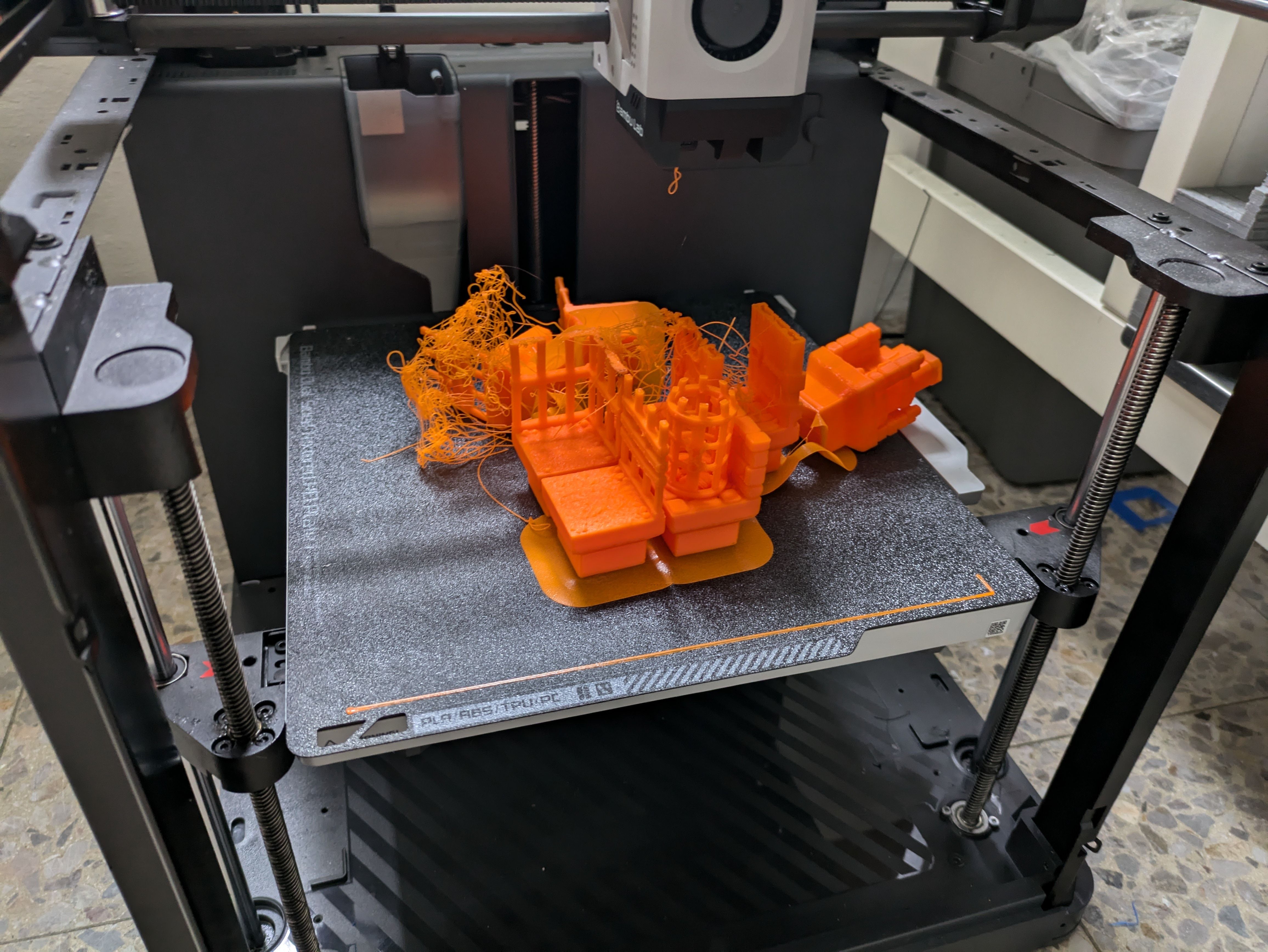
What about FDM for miniatures?
FDM printers produce good results on terrain, bases, and vehicle models. Layer lines are visible on anything smaller than about 50 mm, and fine detail like faces, filigree, and chainmail loses most of its resolution at the layer heights FDM machines work at. For character models and infantry, resin is the correct tool.
FDM will improve. Layer heights are shrinking, multi material is making character work more practical, and the price gap between entry FDM and entry resin has narrowed substantially. If you are building a wargaming terrain table alongside your miniatures, an FDM printer makes sense as a companion to a resin printer rather than a replacement for one.
For FDM terrain recommendations, see the best FDM printer for terrain guide. For the honest case on where resin still falls short, read Brutally Honest Resin Printing Advice for Beginners.
Top picks
The three printers I recommend right now
These are the only three printers I would point a beginner towards today. The full table below covers the entire market.
Best budget pick
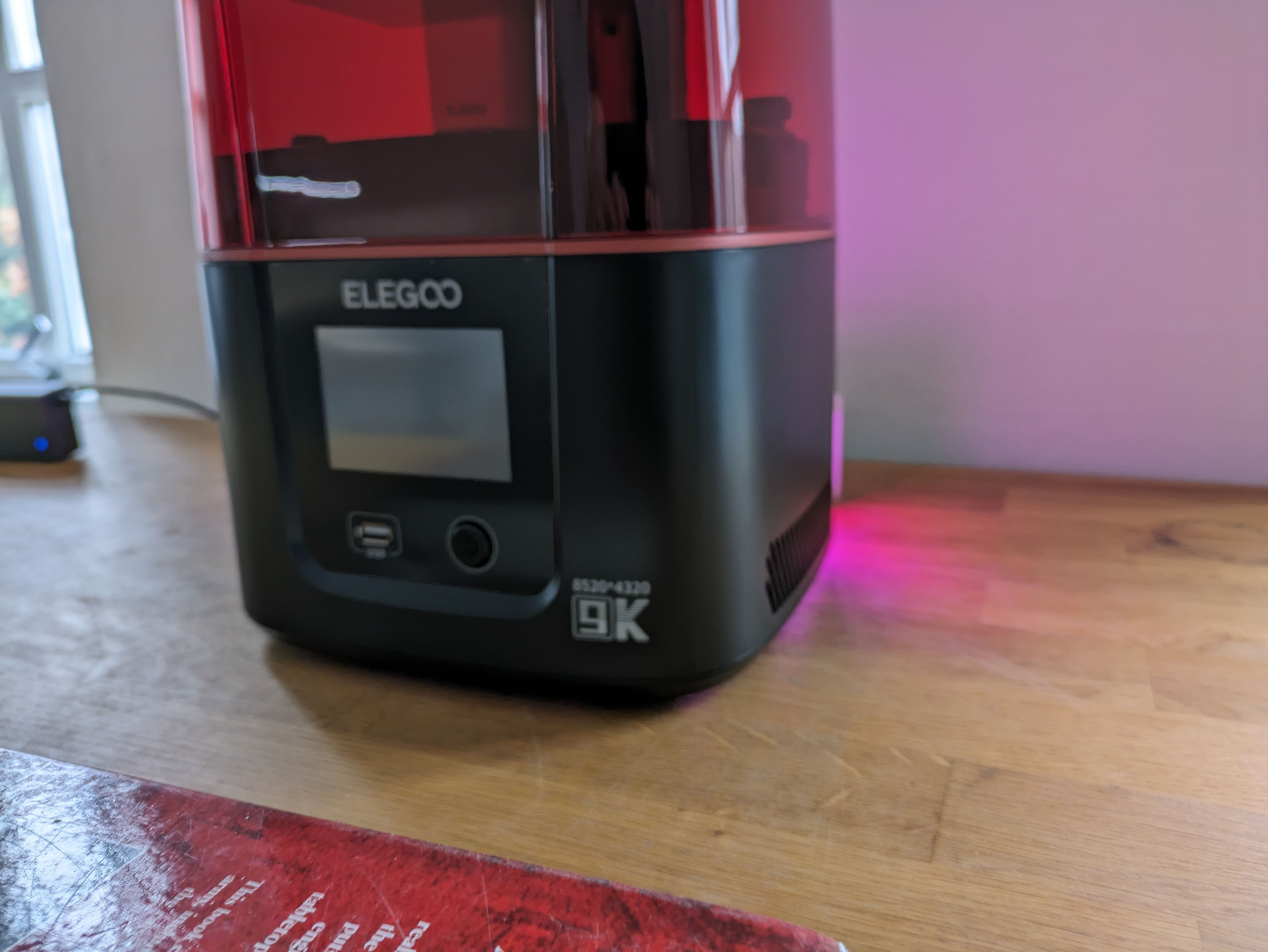
Elegoo Mars 4
The cheapest honest route to 18 micron prints that hold up against printers costing twice as much. No smart features, no speed tricks, no frills. A bare bones machine that does the one thing that matters at a price that is hard to argue with.
- XY resolution
- 18 µm
- Build volume
- 153 × 77 × 175 mm
- Best price seen
- $149
Best mid size pick
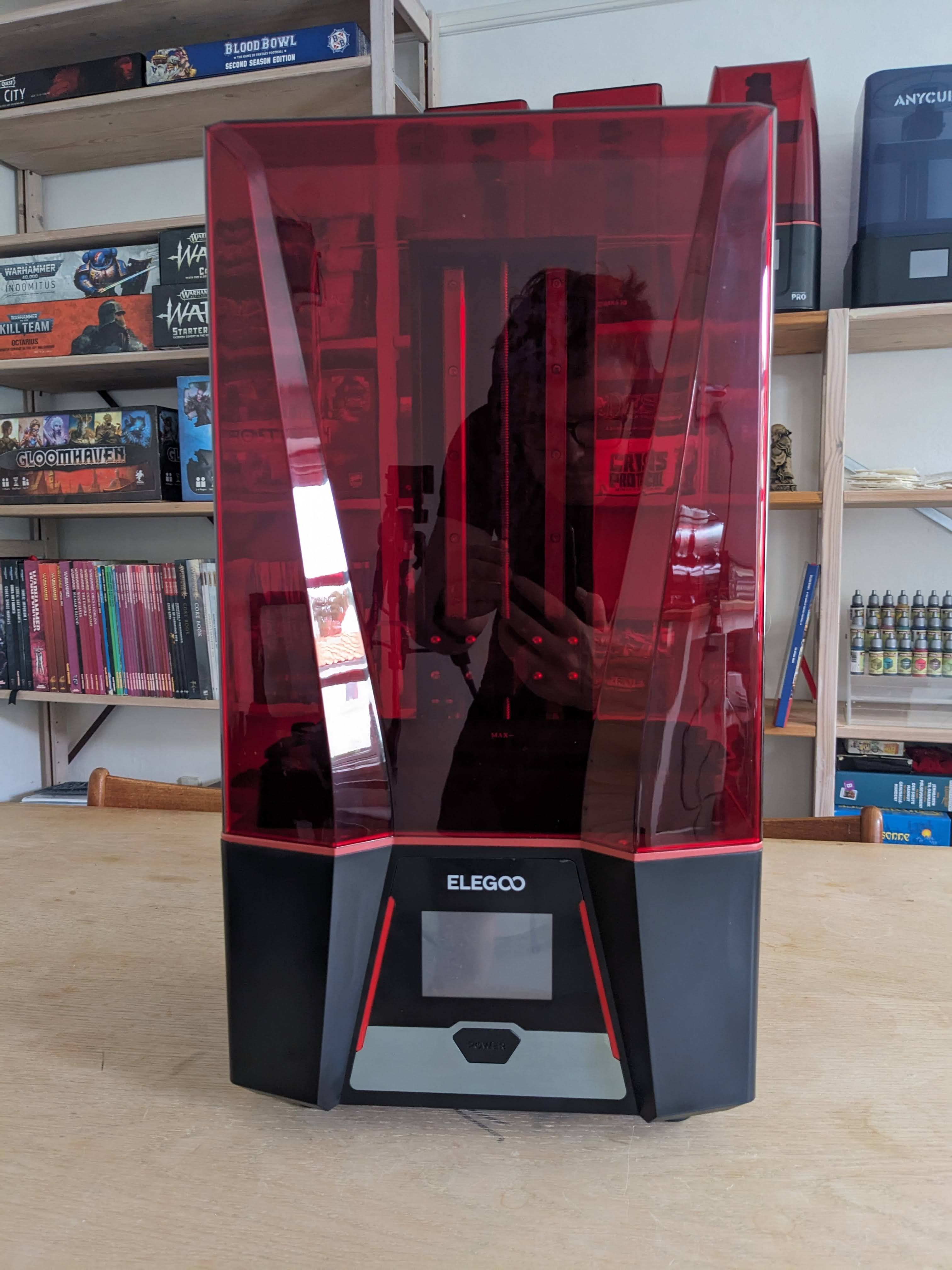
Elegoo Saturn 3
More build plate than most hobbyists know what to do with, at a price that undercuts every rival. 24 microns is more than enough resolution for miniature work. The fans shut down when the machine is idle. Solid, affordable, and boring in all the best ways.
- XY resolution
- 24 µm
- Build volume
- 219 × 123 × 250 mm
- Best price seen
- $230
Best for fast printing
Elegoo Mars 5 Ultra
Elegoo solved the speed problem by tilting the VAT, not by cranking layer height or using brittle speed resin. The result is meaningfully faster prints with no trade off in detail. Still 18 microns. Still holding its own against anything in this price band.
- XY resolution
- 18 µm
- Build volume
- 153 × 77 × 165 mm
- Best price seen
- $249
Close comparisons: the head to heads
The picks above are the short answer. The articles below are the longer answer for buyers who have already narrowed it to one of the common pairings and want the full tradeoffs before they commit.
- Mars 4 Ultra vs Mars 5 Ultra: same 18 micron pixels, $80 apart, tilting VAT against straight peel.
- Mars 4 vs Mars 4 Ultra: $20 apart, what the Ultra adds, what the plain Mars 4 still has.
- Saturn 3 vs Saturn 4 Ultra: cheap and bare bones against tilt VAT and smart features at the mid format.
- Elegoo vs Anycubic: brand level read on the two volume leaders, generation by generation.
- Phrozen vs Elegoo: when Phrozen earns the premium and when the Saturn 4 Ultra 16K is the smarter pick.
By budget and use case
Filtered shortlists for buyers who already know their constraint. Each one narrows the full picks list to two or three machines that fit the spine of the question.
- Best resin 3D printer under $300: Mars 4, Saturn 3, Mars 5 Ultra. Three full classes under the cap.
- Best resin printer for Warhammer: batch infantry math, Mars vs Saturn for army builders.
- Best resin printer for D&D miniatures: single-figure printing, dragon scale, DM terrain.
- Resin printing in an apartment: ventilation, low-VOC resin, water washable workflow.
- Is resin printing worth it: top-of-funnel decision framework for the reader who has not decided yet.
Workflow once the printer is on the bench
Practical reads for the buyer who has chosen a machine and wants to use it well.
- Resin print orientation for miniatures: when 45 degrees is right, when to deviate, why auto-orient gets it wrong.
- How to fill a build plate efficiently: batching geometry that turns 8 Marines into 16 on the same plate.
- The real cost of resin printing miniatures: resin, failed prints, consumables, and capital amortisation in honest USD.
- How long does resin printing take: layer count is the variable that matters; model count is not.
Maintenance and longevity
Reads for the buyer thinking about year two of ownership and beyond.
- When to replace the LCD screen: spotting a tired screen and the replacement decision tree.
- How long does unopened resin last: shelf life realities, storage that extends it, and how to test an old bottle.
- Storing a resin printer when not in use: short break, medium break, winter break, and the return-from-storage checklist.
Lychee Slicer tutorials
Step-throughs for the slicer most new owners install first.
- Lychee Slicer guide for beginners: the import → orient → support → arrange → slice workflow in twenty minutes.
- How to hollow a model in Lychee: wall thickness, drainage holes, and the water-washable resin trap.
- How to add custom supports in Lychee: the four placements auto-supports always miss.
When to upgrade to a second printer
A single printer is genuinely fine for the first year of the hobby. A second printer starts to make sense when one of the following is true.
- You want to print large centrepiece models alongside regular infantry without stopping a unit mid way through
- You want to run different resins for different jobs, for example a tough grey for terrain and a fine detail resin for character models
- You have started selling prints or running a commission queue and plate time has become the bottleneck
- You have moved onto faster print profiles and the resulting failure rate on a single machine is costing more time than a second machine would
The second printer does not need to be better than the first. A second small printer at half the price of a big one is often the smarter move, because you gain parallel capacity without the extra resin spend per plate. Two of the same model is the least glamorous and most practical setup. One resin profile, one slicer workflow, one set of spares.
Resin compatibility
Most current generation printers will run most current generation resins, within reason. Standard resin works on effectively everything. Tough resin, flexible resin, and some speciality water washable resins need different exposure settings and may not work reliably on every machine.
Dual cure resins and ceramic filled resins are niche and worth checking before buying a bottle. Manufacturers publish tested profiles for common resins on their own machines. Stick with those until you understand the dials well enough to tune your own.
Full comparison
Every printer in the database
Sorted by price. Printers marked out of stock were unavailable at time of writing.
Table last reviewed: Invalid Date
| Printer | Brand | XY res. (µm) | Build volume | Price (USD) | Verdict |
|---|---|---|---|---|---|
| Elegoo Mars 1 Out of stock | Elegoo | 47 | 120 x 68 x 160 | $100 | No |
| Elegoo Mars 1 Pro Out of stock | Elegoo | 47 | 129 x 80 x 160 | $100 | No |
| Elegoo Mars 2 Out of stock | Elegoo | 50 | 129 x 80 x 150 | $100 | No |
| Phrozen Sonic Mini Out of stock | Phrozen | 62.5 | 134 x 75 x 130 | $105 | No |
| Elegoo Mars 3 Out of stock | Elegoo | 35 | 143 x 89 x 175 | $119 | No |
| Anycubic Photon Mono 4 | Anycubic | 17 | 153 x 87 x 165 | $124 | Yes |
| Creality Halot R6 2K Out of stock | Creality | 50 | 130 x 82 x 160 | $130 | No |
| Elegoo Mars 2 Pro Out of stock | Elegoo | 50 | 130 x 82 x 155 | $135 | No |
| Anycubic Photon Mono 2 Out of stock | Anycubic | 34 | 165 x 89 x 143 | $147 | No |
| Elegoo Mars 4 | Elegoo | 18 | 153 x 77 x 175 | $149 | Yes |
| Phrozen Sonic Mighty 4k | Phrozen | 52 | 200 x 125 x 220 | $149 | No |
| Elegoo Mars 3 Pro Out of stock | Elegoo | 35 | 143 x 89 x 175 | $150 | No |
| Anycubic Photon Mono 4K Out of stock | Anycubic | 35 | 132 x 80 x 165 | $159 | No |
| Elegoo Mars 5 | Elegoo | 35 | 143 x 89 x 150 | $169 | No |
| Anycubic Photon Mono SQ Out of stock | Anycubic | 50 | 128 x 120 x 200 | $170 | No |
| Elegoo Mars 4 Ultra | Elegoo | 18 | 153 x 77 x 165 | $170 | Maybe |
| Anycubic Photon Mono X2 Out of stock | Anycubic | 48 | 200 x 196 x 122 | $179 | No |
| Anycubic Photon Mono Out of stock | Anycubic | 51 | 130 x 80 x 165 | $200 | No |
| Anycubic Photon Mono X 6KS Out of stock | Anycubic | 34 | 195 x 122 x 200 | $200 | No |
| Creality Halot-One Out of stock | Creality | 50 | 127 x 80 x 160 | $200 | No |
| Creality LD-002H Out of stock | Creality | 51 | 130 x 82 x 160 | $200 | No |
| Elegoo Mars 4 Max Out of stock | Elegoo | 34 | 195 x 122 x 150 | $200 | No |
| Elegoo Saturn S Out of stock | Elegoo | 48 | 196 x 122 x 210 | $200 | No |
| Anycubic Photon M3 Out of stock | Anycubic | 40 | 164 x 102 x 180 | $209 | No |
| Elegoo Saturn 2 Out of stock | Elegoo | 28.5 | 219 x 123 x 250 | $209 | No |
| Anycubic Photon Mono M5 Out of stock | Anycubic | 24 | 200 x 123 x 218 | $210 | No |
| Anycubic Photon Mono 4 Ultra | Anycubic | 17 | 153 x 87 x 165 | $219 | Maybe |
| Creality Halot-Mage Out of stock | Creality | 30 | 228 x 128 x 230 | $230 | No |
| Creality Halot-Play Out of stock | Creality | 50 | 192 x 120 x 200 | $230 | No |
| Elegoo Saturn 3 | Elegoo | 24 | 219 x 123 x 250 | $230 | Yes |
| Elegoo Mars 5 Ultra | Elegoo | 18 | 153 x 77 x 165 | $249 | Yes |
| Creality Halot Lite Out of stock | Creality | 50 | 192 x 120 x 200 | $250 | No |
| Creality Halot-Mage Pro Out of stock | Creality | 30 | 228 x 128 x 230 | $250 | No |
| Phrozen Sonic Mini 8k S | Phrozen | 22 | 165 x 72 x 170 | $255 | No |
| Anycubic Photon Ultra Out of stock | Anycubic | 80 | 102 x 57 x 165 | $260 | No |
| Elegoo Saturn 8k Out of stock | Elegoo | 28.5 | 219 x 123 x 210 | $260 | No |
| Anycubic Photon Mono M5S Out of stock | Anycubic | 24 | 200 x 123 x 218 | $270 | No |
| Anycubic Photon Mono X 6k Out of stock | Anycubic | 34 | 197 x 122 x 245 | $270 | No |
| Elegoo Saturn 3 Ultra | Elegoo | 24 | 218 x 122 x 260 | $270 | No |
| Phrozen Sonic Mini 4k Out of stock | Phrozen | 35 | 130 x 73 x 130 | $270 | No |
| Elegoo Saturn 4 | Elegoo | 24 | 219 x 123 x 220 | $279 | No |
| Anycubic Photon Mono M5S Pro Out of stock | Anycubic | 24.8 | 200 x 126x 223 | $300 | No |
| Anycubic Photon Mono M7 | Anycubic | 16.8 × 24.8 | 223 x 126 x 230 | $300 | No |
| Anycubic Photon Mono X Out of stock | Anycubic | 50 | 192 x 120 x 245 | $300 | No |
| Creality Halot-One Plus Out of stock | Creality | 50 | 172 x 102 x 160 | $300 | No |
| Creality Halot-Ray Out of stock | Creality | 30 | 198 x 123 x 210 mm | $300 | No |
| Elegoo Saturn 1 Out of stock | Elegoo | 50 | 192 x 120 x 200 | $300 | No |
| Creality Halot-Mage S | Creality | 25 | 230 x 126 x 223 | $309 | No |
| Phrozen Sonic Mini 8k | Phrozen | 22 | 165 x 72 x 180 | $323 | No |
| Elegoo Saturn 4 Ultra | Elegoo | 24 | 219 x 123 x 220 | $329 | Maybe |
| Phrozen Sonic Mighty 12k Out of stock | Phrozen | 19 × 24 | 218 x 123 x 235 | $329 | No |
| Anycubic Photon Mono SE Out of stock | Anycubic | 51 | 130 x 78 x 160 | $350 | No |
| Creality Halot-X1 | Creality | 14 × 19 | 211.68 x 118.37 x 200 | $369 | N/A |
| Anycubic Photon D2 Out of stock | Anycubic | 51 | 130 x 73 x165 | $400 | Maybe |
| Creality Halot-Sky Out of stock | Creality | 60 | 192 x 120 x 200 | $400 | No |
| Phrozen Sonic Mighty 8k | Phrozen | 28 | 218 x 123 x 235 | $410 | No |
| Anycubic Photon Mono M7 Pro | Anycubic | 16.8 × 24.8 | 223 x 126 x 230 | $414 | Maybe |
| Elegoo Saturn 4 Ultra 16k | Elegoo | 19 | 211 x 118 x 220 | $420 | Yes |
| Anycubic Photon M3 Plus Out of stock | Anycubic | 34 | 194 x 122 x 245 | $440 | No |
| Anycubic Photon M3 Premium Out of stock | Anycubic | 28.5 | 219 x 123 x 250 | $500 | No |
| Elegoo Jupiter SE | Elegoo | 51 | 277 x 156 x 300 | $530 | No |
| Anycubic Photon Mono M7 Max | Anycubic | 46 | 298 x 164 x 300 | $551 | Maybe |
| UniFormation GK3 | UniFormation | 19 | 240 x 118 x 211 | $570 | Maybe |
| Anycubic Photon M3 Max | Anycubic | 46 | 300 x 298 x 164 | $599 | No |
| Anycubic Photon P1 | Anycubic | 16.8 × 24.8 | 223 x 126 x 230 | $599 | Maybe |
| Elegoo Jupiter Out of stock | Elegoo | 51 | 278 x 156 x 300 | $600 | No |
| UniFormation GKtwo Out of stock | UniFormation | 30 | 228 x 128 x 245 | $650 | No |
| UniFormation GK3 Pro | UniFormation | 19 | 211 x 118 x 240 | $670 | No |
| Phrozen Sonic Mighty Revo | Phrozen | 24.8 | 223 x 126 x 235 | $680 | No |
| HeyGears UltraCraft Reflex RS | HeyGears | 30 | 222 x 122 x 230 | $699 | No |
| HeyGears UltraCraft Reflex RS Turbo | HeyGears | 30 | 222 x 122 x 228 | $699 | Maybe |
| Phrozen Sonic Mighty 16K | Phrozen | 14 × 19 | 211 x 118 x 235 | $720 | Yes |
| Creality LD-006 Out of stock | Creality | 50 | 192 x 120 x 250 | $750 | No |
| Elegoo Jupiter 2 | Elegoo | 20 | 302 x 162 x 300 | $849 | Maybe |
| HeyGears UltraCraft Reflex | HeyGears | 33 | 192 x 122 x 220 | $979 | No |
| UniFormation GK3 Ultra | UniFormation | 26 | 300 x 160 x 300 | $1100 | Maybe |
| Phrozen Sonic Mega 8k S | Phrozen | 43 | 330 x 185 x 300 | $1170 | No |
| Phrozen Sonic Mega 8k Out of stock | Phrozen | 43 | 330 x 185 x 400 | $1400 | No |
| HeyGears UltraCraft Reflex 2 | HeyGears | 40 | 230 x 144 x 230 | $2235 | No |
The full table includes sortable columns, brand filters, and my complete notes on every printer. It is free to access after signing up for the newsletter.
Open the full sortable tableFrequently asked questions
What is the cheapest printer that produces acceptable miniatures?
The Elegoo Mars 4 at around one hundred and fifty pounds is the current floor. Below that price the quality drop is significant and vendor support falls off a cliff.
Is a 12K printer worth the extra money over an 8K printer?
Only at certain screen sizes. On a 7 inch screen, 12K gets you down to single digit micron XY. On a 10 inch screen, 12K is roughly equivalent to 8K on a 7 inch screen. Look at the actual XY microns figure, not the marketing number on the box.
Can I print miniatures on an FDM printer?
Not well. FDM is perfectly good for terrain and bases, but the layer lines show on any model smaller than around 50 mm. For miniatures, resin is the only serious option.
How long does an LCD last?
Around two thousand hours of cure time is the rated figure. Heavy users replace them every year, hobby users often go two years or more. First layer performance usually degrades before anything else, so watch for creeping adhesion problems as an early warning.
Do I need a separate wash and cure station?
In practice, yes. Prints need to be washed in isopropyl alcohol or water and then cured under UV light. A combined wash and cure unit is worth the money. Manual washing works but is messy, slow, and awkward to do consistently.
What resin should I start with?
Whatever the manufacturer recommends for the printer. Standard grey from the same brand as the printer is the safest first bottle. Move to speciality resins once you have a reliable baseline profile.
Glossary
A quick reference for the terms used on this page and throughout the rest of the site.
- XY resolution
- The physical pixel size on the LCD, measured in microns. Lower numbers are sharper.
- LCD
- The liquid crystal display that masks UV light to cure selected pixels of resin.
- VAT
- The resin tank that sits on top of the LCD. Has a clear flexible film at the bottom.
- Release film (FEP, nFEP, ACF)
- The flexible bottom of the VAT. A consumable, replaced every few litres of resin.
- Build plate
- The metal plate that the print adheres to as it is lifted out of the resin.
- Slicer
- The software that prepares your model for the printer, adds supports, and generates the file the printer reads.
- Supports
- Thin pillars that hold up overhanging parts of the model as each layer cures.
- Exposure
- How long the UV light cures each layer. Too short and layers fail to stick. Too long and fine detail is lost.
- First layer
- The first few layers of a print, exposed longer than the rest to stick firmly to the build plate.
- Wash and cure
- Post processing steps. Wash removes uncured resin, cure hardens the print fully under UV.