
Some links on this page are affiliate links — marked with aff — and if you buy through them I may earn a small commission at no extra cost to you. Read the full disclosure.
I went into FDM printing expecting to hate it. I had spent years running resin printers for miniatures and had written off filament machines as slow, fussy, and incapable of the detail that painting minis demands. The Bambu Lab P1P changed that assessment completely.
What I wrote when I first reviewed this printer captures it best:
“I have fallen in love with this machine. At least, I have fallen in love with FDM printing, something I doubted would ever happen.”
That was my honest reaction after the first week. A year-plus later, with dozens of terrain pieces behind me, that conversion holds. The P1P is still in regular use on my bench. But it is 2026 now, and the machine has been superseded. What follows is the long-term owner’s verdict: what the printer taught me, where it earns its reputation, where it disappoints, and what a 2026 buyer should actually do.
What the P1P actually is
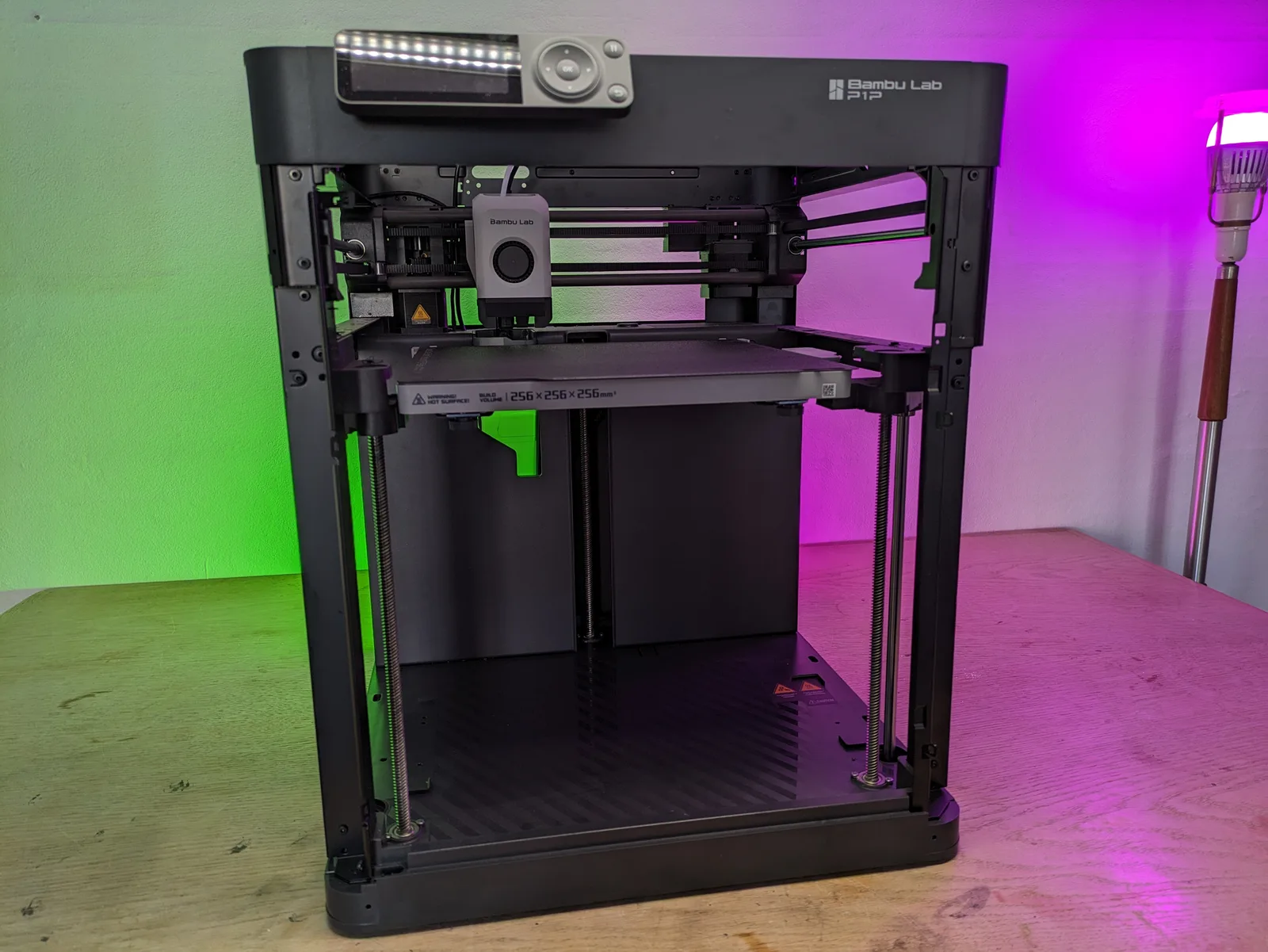
The P1P is a stripped-down version of Bambu Lab’s flagship X1 Carbon. It ships without an enclosure, which reduces the cost but also means no passive temperature control around the print. Build volume is 256 mm on all three axes, which is generous for terrain. The printer is marketed at 500 mm/s but in practice sits closer to 250 mm/s for terrain profiles where quality matters.
At launch the P1P was priced at roughly $600. In 2026 it is no longer widely stocked new and Bambu now sells the P1S in its place, which is very much the same machine with an enclosure. If you find a P1P at a meaningful discount, the sections below will tell you whether it is worth it.
Out of the box and the first layer
The single biggest selling point of the P1P is that it works properly from the moment you unbox it. Pre-tuned from the factory, no calibration ritual required before the first print. The first layer sticks reliably, every time, without standing over the machine watching for adhesion failures.
Anyone who has wrestled a budget FDM printer into shape will understand what this means. Previous machines I had tried demanded levelling adjustments, Z-offset experiments, and multiple wasted prints before producing anything usable. With the P1P, you load filament and print. The print sticks. The print finishes. This is not a small thing.
For terrain work in particular, reliable first-layer adhesion removes the biggest source of overnight print failures. You can set a four-hour castle section going before bed and come back to a finished piece rather than a spaghetti pile on the bed.
Speed and the layer height tradeoff
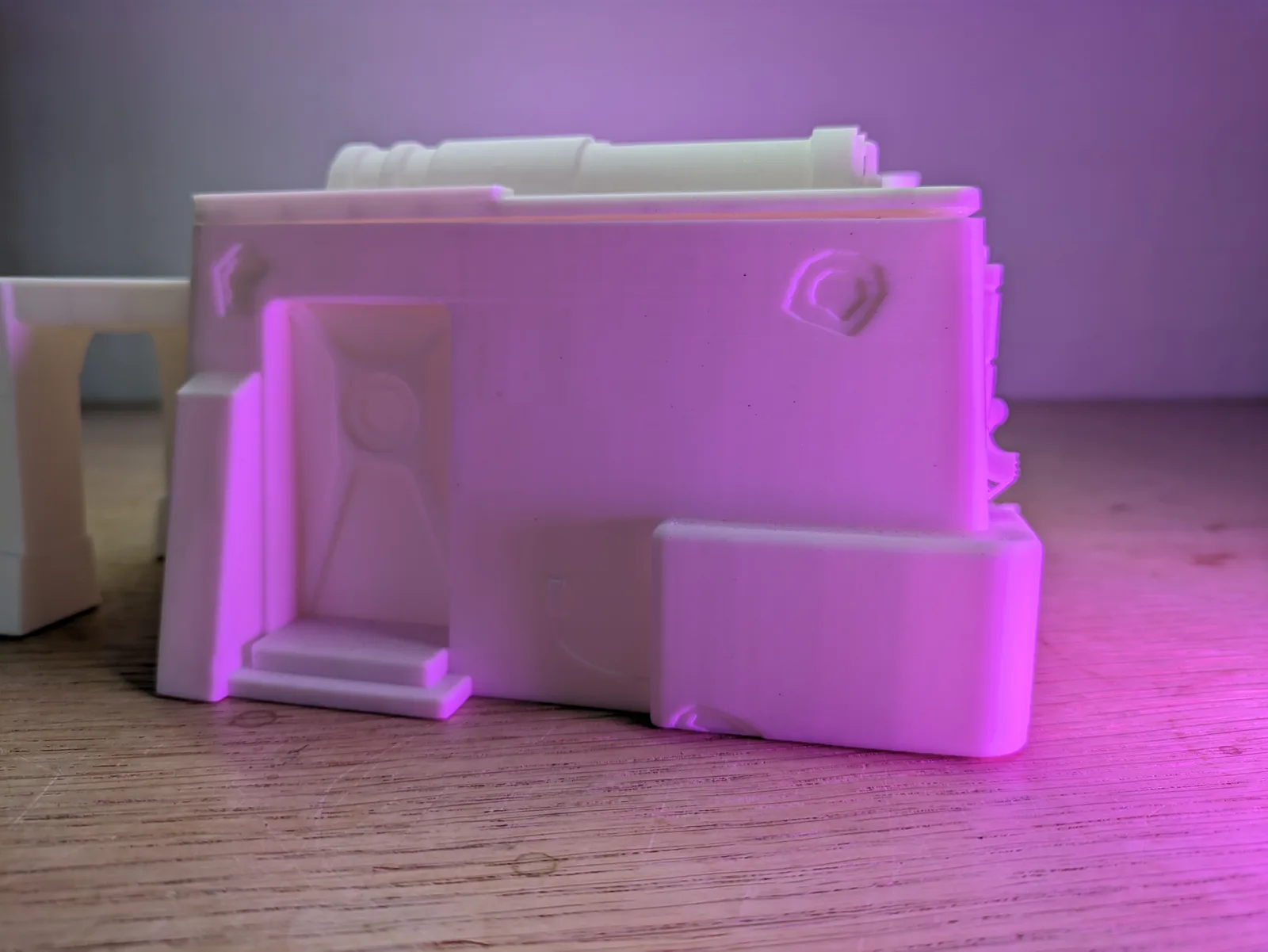
Terrain printing at 0.08 mm layer height produces noticeably better surface quality than the 0.20 mm default. The layer lines are finer, the texture reads better under paint, and the finished piece looks closer to a resin alternative when viewed at table distance.
The tradeoff is time. A small castle piece runs roughly 13.5 hours at 0.08 mm. That is a long print, but for a hero terrain piece it is worth the investment. For bulk scatter pieces, walls, and filler terrain, 0.20 mm is the sensible default.
I also tested the 0.2 mm nozzle, expecting it to unlock finer detail. The presets for that nozzle are not as well tuned as the 0.4 mm, and the print times are punishing: the same castle piece that took 13.5 hours at 0.08 mm through the standard nozzle stretched to over two days through the fine nozzle. The quality gain at terrain view distance was minimal. My verdict is to stay on the 0.4 mm nozzle for terrain and use layer height to control quality. Going below the standard nozzle is, right now, not worth it.
For more on dialling in settings for terrain specifically, the FDM slicer settings guide for tabletop terrain covers the full profile in detail.
Bambu Studio
I expected to dislike the manufacturer’s own slicer. Manufacturer slicers have historically been the weak link in Bambu’s ecosystem, stripped-down tools that send you back to Cura or PrusaSlicer for anything serious.
Bambu Studio is a genuine exception. The initial acclimatisation takes a session or two if you are used to Cura’s layout, but after that adjustment period there is nothing missing from the workflow. The terrain-specific profiles are sensible starting points, the support previews are clear, and the print speed controls are granular enough for outer-wall tuning without requiring expert configuration.
The cloud and proprietary issue
This is where the P1P demands a direct conversation. My original review framed it this way, and the framing still holds:
“I see Bambu Lab like I see Apple. For the price of all your data and a proprietary system, you get ease of use and something that just works.”
Bambu’s terms of service collect a significant amount of data from the printer: IP addresses, network activity, and print data that can be transmitted internationally and potentially shared with third parties. LAN mode exists as an alternative to cloud printing, but it was clearly designed as an afterthought. The core experience assumes cloud connectivity.
The proprietary hardware is a separate concern. Replacement parts for the P1P must come from Bambu. If the company folds, discontinues the model, or changes the supply chain, owners of older units are left without a straightforward repair path.
If data privacy matters to you, or if you want a machine that is fully repairable with generic components, the P1P is the wrong choice. If you can accept these tradeoffs in exchange for a machine that works reliably without configuration effort, the tradeoffs are manageable in practice.
The hardware quirks
Two things about the P1P that no spec sheet will tell you.
The screen is genuinely poor. Monochrome, non-touch, and difficult to navigate for anything beyond the basics. Adjusting filament extrusion manually through the screen is frustrating. E-step calibration via the screen is the most tedious task the machine asks of you. This does not matter on a day-to-day basis, because most control happens through Bambu Studio on a computer or phone. But when you need the screen, you feel the corner that was cut.
The noise is real. At full print speed the machine vibrates, the belts generate a resonant pitch, and the fans run at an audible frequency. At three metres you need noise-cancelling headphones. Even when idle, the P1P emits a faint electrical hum. This is not a machine for a shared home workspace where people sleep nearby.
What broke and how
Three failure modes worth knowing about before you buy.
The most significant failure I experienced was the filament tube sagging into the print area mid-print. This is a common P1P issue, not a defect unique to my unit. The tube works its way down during long prints and eventually contacts the top of the print, causing a layer shift. The fix is simple: reposition the tube upward so it has more clearance. Once you know about it, it is easy to prevent. But it will happen to you before you know about it.
Tall, thin prints above roughly 15 cm are unreliable at print speed. The piece starts swaying and either shifts layers or topples entirely before the print completes. Terrain with a significant footprint handles the speed fine; tall spires and thin obelisks do not. Slowing the print speed on tall sections helps, but the problem has a physical cause that settings only partially address.
Firmware updates were a frustrating experience. Initial downloads failed across every available route: the printer, the slicer, and the Bambu app all refused to complete the update. Support took four days to respond and required manual log uploads through a PC before the issue was resolved. For a machine that charges a premium on the back of its easy-to-use reputation, that support experience was below expectations.
Occasional first-layer warping also occurred, where the first layer slowly lost adhesion to the bed over the course of a long print. The suspected cause was temperature variation, but I was not able to isolate the exact trigger.
AMS: purging waste
The AMS (Automatic Material System) allows automatic filament switching for multicolour prints. Every colour change purges some filament to flush the previous colour from the hot end, and that purge volume adds up quickly on a multicolour terrain piece. I found the filament waste on AMS printing to be excessive compared to my expectations.
I now use the AMS 2 Pro on a different machine in the same workflow. If you are interested in whether multicolour printing is genuinely useful for terrain and miniatures, the Bambu AMS 2 Pro review for miniatures and terrain covers that in full.
Use cases I recommend it for
Terrain printing is the clear strength of the P1P. Bulk pieces, scatter terrain, walls, ruins, dungeon tiles, and any piece where the view distance is 30 cm or more are all served well by this printer. The combination of reliable first-layer adhesion, fast print speeds at 0.20 mm, and the 0.08 mm option for hero pieces makes it an effective terrain production machine.
For a tabletop hobbyist who wants to print terrain without learning to troubleshoot a budget FDM printer, the P1P’s factory tuning is the key differentiator. You spend your time printing, not calibrating.
If you are weighing up FDM versus resin for terrain in the first place, the resin or FDM for tabletop terrain article covers the comparison in detail. The short version: FDM wins on cost and durability for large terrain pieces, and the P1P makes FDM accessible.
Use cases I would not recommend it for
Miniature-scale detail work is still resin territory. At the finest settings the P1P can produce, layer lines remain visible on a 28 mm figure. Resin resolves detail at a scale that FDM cannot currently match for miniatures specifically.
Tall, thin vertical prints over 15 cm are unreliable for the reasons described above.
Anyone who needs a quiet workspace or who shares a living area with people working or sleeping nearby will find the noise unacceptable.
Anyone who is not comfortable with cloud connectivity and data collection should look elsewhere: the P1P’s ease of use is not separable from its cloud dependency in normal use.
The 2026 verdict
The P1P is no longer the obvious recommendation for a new FDM buyer. Two machines have replaced it in that role. The Bambu A1 is the entry-level recommendation for a terrain-focused hobbyist in 2026: lower cost, compact, and well tuned for the same use cases. The P1P’s bigger sibling, the P1S, adds an enclosure and is the premium consumer pick for anyone printing with materials that benefit from a controlled temperature environment.
A discounted P1P is still a capable terrain machine. The core print quality that made it a breakthrough when it launched has not changed. If you find one at a significant reduction from launch price, the verdict from the FDM buying guide for terrain still applies: the P1P at a discount is a defensible buy if the price is right.
The closing line from my original review captures the position, and I have updated it to reflect the 2026 view:
“If you can stomach the cloud nonsense, the proprietary parts and the archaic screen, the Bambu Lab P1P remains an amazing machine. It gets my full recommendation for any person who wants to get started with FDM printing, especially if what they are looking for is printing terrain.”
That was true when I wrote it. It remains true at a discount. At full retail, the A1 Mini is the better starting point.

