
Some links on this page are affiliate links — marked with aff — and if you buy through them I may earn a small commission at no extra cost to you. Read the full disclosure.
Most serious tabletop terrain hobbyists who have owned both a resin printer and an FDM machine end up running them together. Not because they cannot commit to one, but because the two technologies solve different problems at the same table. Resin produces surface resolution that FDM cannot match. FDM produces size, speed, and durability that resin cannot match. A set that uses each technology where it has the advantage looks better and costs less to build than a set that forces either technology into the role it is bad at.
What follows covers how to plan and build a hybrid terrain set from the ground up: what goes resin, what goes FDM, how to deal with scale differences before you commit, and the painting workflow that makes the technology join invisible at gaming distance.
What goes resin and what goes FDM
The decision rule is straightforward once you state it directly. Resin earns its higher cost and longer post-processing when surface detail is the dominant value of the piece. FDM earns its place when size, playable durability, or print volume is the dominant value.
In practice, that maps to a fairly clear split:
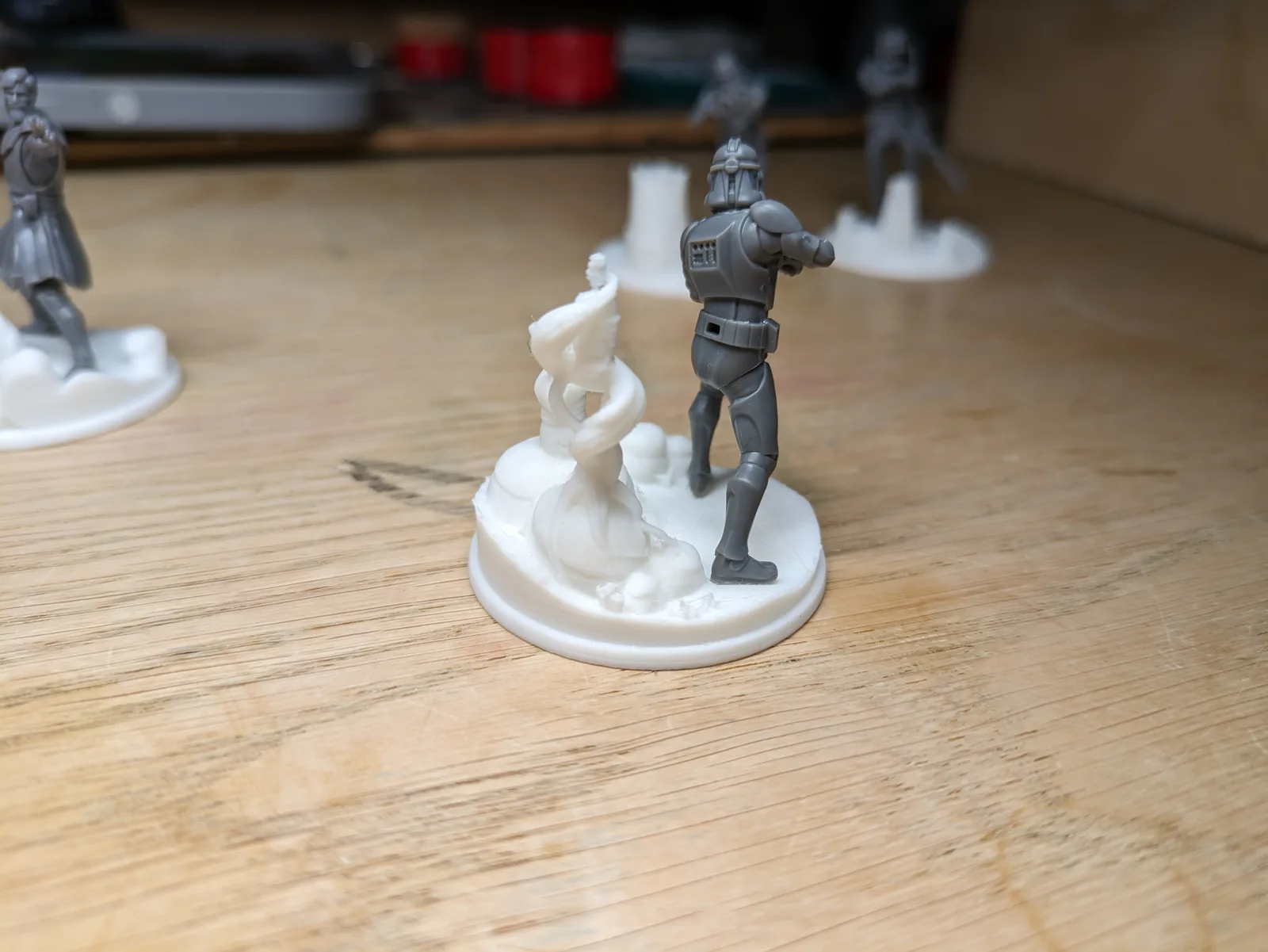
Resin pieces are the ornate doors, statues, gargoyles, character-scale bas-reliefs, sci-fi greebles, inscribed keystones, decorative sconces, skulls on plinths, and any element where the detail is the reason the piece exists. These are typically small (under 80 mm), they sit still on the table rather than taking regular handling, and the surface quality reads at arm’s length or shorter. At those dimensions, resin’s resolution advantage over FDM is unambiguous.
FDM pieces are the walls, floor tiles, basic crenellations, arch sections, tower segments, modular dungeon corridors, scatter terrain like barrels and crates, and any structural element that makes up the bulk of the table. These pieces are often printed in multiples, they take regular handling during play, they may be knocked over, and they are read from 40 to 60 centimetres across the table. At that distance and those dimensions, FDM terrain at 0.20 mm layer height is entirely competitive.
The detail crossover point where FDM stops being enough is discussed in depth in resin or FDM for tabletop terrain. The short version: if a piece contains fine runes, facial features, or sub-3 mm engraved detail, it goes to the resin printer. Everything else is at minimum a candidate for FDM.
Planning the set before you print anything
The single most expensive mistake in a hybrid terrain build is starting on each technology separately, finishing both sets, and then discovering the pieces do not belong together visually or dimensionally. Avoid this by making three decisions before you print a single piece.
Decide on a primer colour first. Every piece in the set, regardless of which printer produced it, gets the same primer. This is the first and most powerful visual unifier. A dark grey spray primer applies the same base tone to resin and PLA, which means the subsequent drybrush and wash steps read identically. Mixing primer colours across a set is the single easiest way to make a hybrid set look like two half-sets stuck together.
Decide on a drybrush palette. One primary drybrush colour, one lighter highlight colour, and a dark wash. Committing to this before you print means you know what the finished set looks like before any piece is on the table. It also means you can assess whether a piece’s surface detail will survive the wash step, which is relevant when choosing which pieces go to resin versus FDM.
Decide on a varnish. Matt varnish across everything. Satin on resin pieces and matt on FDM pieces will produce a visible surface sheen difference under table light. One varnish type, applied consistently to the whole set, is a detail that reads more than most hobbyists expect.
With those three decisions made, the set has a visual target before the first print starts. Everything that follows is execution.
Scale matching before you commit
Resin and FDM file sets from different creators can carry scale assumptions that do not agree with each other. A set of ornate resin doors designed for a 28 mm dungeon standard may be 10 to 15 mm shorter than the doorway in an FDM wall set designed for a slightly larger 32 mm base standard. You will not discover this on assembly day if you scale-check early.
The check is simple. Download one representative piece from each source, print it at the default scale, and physically hold the two pieces together before you commit to printing the full kit. Confirm that the resin door fits the FDM doorway, that the resin statue base sits flush with the FDM floor tile, and that the overall visual scale reads consistently.
If the scales do not match, you have two options. Rescale the smaller set uniformly in the slicer to bring it into line, or pick sources that are explicitly compatible. The first option is usually fine for terrain; scale tolerances of 2 to 5% are invisible under primer and paint. Do not invent an exact correction percentage; use the printed test pieces as your reference and adjust until the pieces sit together naturally.
Do not scale pre-supported resin files. If the resin pieces in your set are pre-supported by the designer, the supports are calibrated for the original scale. Rescaling a pre-supported file rescales the supports with it and they will fail at a different scale. For resin pieces that need scaling, find unsupported versions and add your own supports in the slicer, or contact the designer for a matched scale version.
Mounting resin on FDM bases
The majority of hybrid terrain setups place resin detail pieces on or into FDM structural pieces. A resin statue stands on an FDM plinth. A resin door frame sits in an FDM wall opening. A resin gargoyle perches on an FDM tower parapet.
The right adhesive is cyanoacrylate. It bonds resin to PLA reliably, cures fast, and produces a join strong enough for regular gaming-table handling. Apply a small amount to the flat contact surface, press, hold for 30 seconds, and leave it undisturbed for five minutes. Gel cyanoacrylate is easier to work with on vertical or angled joins because it does not run.
For larger resin pieces on an FDM base, where the piece weighs enough to stress the adhesive join under regular handling, a brass pin through both halves improves durability significantly. Drill a 1 mm to 1.5 mm hole through the resin piece and into the FDM base, cut a length of brass rod to fit, dry-fit it, then apply cyanoacrylate to the hole before pressing the pin in. The result is a mechanically keyed join that survives the kind of handling a gaming table delivers.
Avoid two-part epoxy for this application. It is stronger than necessary, slower to cure, and the working time makes it harder to position precisely. Hot glue should not be used on resin at all, since resin does not bond reliably to hot glue and the flexibility of the cured glue allows the join to work loose under handling.
Magnetising hybrid terrain
Both resin and PLA accept magnets well, which means a fully magnetised hybrid terrain set is achievable. The installation methods differ slightly by material.
For FDM pieces, the pause-and-drop method is the most reliable approach. Pause the print at the layer where the magnet cavity is fully formed, drop the magnet into the pocket, verify polarity against a reference magnet on the bench, and resume the print. The plastic seals over the magnet on subsequent layers and creates a clean embedded install with no visible hole.
For resin pieces, the pre-printed pocket or post-print drill method works better. Most terrain and character resin files designed for magnetising include a pocket in the base geometry. Drop the magnet into the pocket and fix it with a small amount of cyanoacrylate. If the file does not include a pocket, drill one with a 3 mm or 5 mm drill bit, drop the magnet in, and glue it flush.
The polarity rule applies across the entire set regardless of material: every magnet on a given surface type must face the same direction. Mark every magnet with a permanent marker before installing and verify against a reference magnet before each drop. A flipped magnet in a resin statue will repel the FDM base it is supposed to sit on, and drilling it back out of a cured resin piece is an annoying repair. The magnetising workflow for FDM pieces specifically is covered in more detail in magnetising FDM printed terrain.
The painting workflow that hides the join
The surface texture of cured resin and printed PLA are genuinely different. Resin has a fine, slightly waxy surface with excellent detail retention. PLA has a slightly rougher surface with visible layer lines at close inspection. Under a macro lens, the two materials look completely different.
Under a coat of spray primer at gaming distance, the difference largely disappears. Under primer, a drybrush, and a wash, it disappears entirely. This is not a compromise or a workaround; it is how the materials actually behave in a finished painted set, and it is why the hybrid approach is viable.
The sequence that achieves a unified result is:
Spray all pieces with the same primer in a single session where possible. Doing both materials together means they receive the same primer thickness and the same surface preparation. Separate sessions with different primer cans or different environmental conditions can leave subtle sheen differences that become visible under the wash step.
Apply a broad drybrush over all pieces using the same brush and the same paint mix. The drybrush step is where surface texture begins to read as tone rather than as material, and it is the first step where resin detail pieces and FDM structural pieces start to look like they belong to the same palette.
Apply a dark wash heavily and consistently. The wash is the key step for the hybrid join. It equalises the surface tone of resin and PLA by pooling into recesses in both materials in the same way. After the wash dries, the visible difference between a resin doorway and an FDM wall is essentially zero at 40 centimetres.
Finish with a second lighter drybrush and then the matt varnish. The varnish removes any surface sheen variation that survived the previous steps.
Painting technique beyond the primer-drybrush-wash-varnish sequence falls outside the scope of what Micron Monster covers in depth. If you want to go further with the painted finish on your terrain, there are dedicated terrain painting resources that cover advanced techniques.
A practical set-piece example
To make this concrete, consider a dungeon entrance: a practical build that uses each technology where it belongs.
The FDM pieces are the wall sections (two or three modular tiles), the floor tiles (four to six tiles for the entrance approach), and the arch support geometry on each side of the doorway. These print flat, require no supports, and can be batched across two print sessions on a mid-range FDM printer like a Bambu Lab A1. Total material cost is low; total print time is manageable.
The resin pieces are the ornate door itself, two small statues or flanking gargoyles, and any inscribed keystone above the arch. These print in resin, wash and cure in the normal post-processing workflow, and have their supports removed before the assembly step.
The door is magnetised using a 5 mm magnet in the resin door piece and a matched magnet in the FDM frame, so the door swings open during play and snaps closed between scenes. This is the kind of interactive detail that FDM alone cannot produce cleanly at that scale, and that resin handles well because the door geometry is small enough to print at full resolution.
The whole entrance primes in one session and paints together. At the table, nobody asks which printer produced which piece.
Storage and modularity for hybrid sets
Hybrid sets benefit from the same storage discipline as pure FDM modular sets. Stackable boxes, labelled by zone or tile type, with resin detail pieces in a separate smaller container to prevent them being crushed under heavier FDM tiles.
If the set is fully magnetised, both FDM and resin pieces can be stored in foam-lined trays with steel sheet inserts. The magnets keep pieces from sliding; the foam prevents chipping. A magnetised hybrid set that can be moved in one box without wrapping individual pieces is a significant quality-of-life upgrade for anyone who plays at multiple locations.
What to avoid
A few failure modes are common enough in hybrid sets to be worth naming explicitly.
Mixing scales is the most common and the most frustrating. As noted above, check the scale before committing to the full print run. A resin door that is visibly too small for the FDM arch it sits in reads as wrong at table distance even when everything else is painted consistently.
Mixing primer colours is the second. It is tempting to use a white primer on resin detail pieces and a grey primer on FDM structural pieces because that is what each material takes best. Resist this. The primer colour is the dominant visual base and two different primer colours produce two different tonal families that no amount of drybrushing will fully reconcile.
Painting different parts of the set at different times with different paint batches is a subtler version of the same problem. Mix enough of the base drybrush colour to cover the whole set in one go, or mix it to the same recipe from the same bottles. Batch inconsistency in the drybrush colour is the hardest thing to fix at the varnish stage.
Closing
Hybrid terrain is not a compromise between resin and FDM. It is the honest application of each technology to the work it does best. Resin produces the detail that makes a terrain set feel designed. FDM produces the volume that makes a terrain set feel complete. Painted together under the same primer and the same palette, the two technologies read as one coherent set at table distance.
The cost comparison between resin and FDM for a terrain set works through the economics of building this kind of set in more detail, including the consumables and time costs that the per-gram comparison misses. If you are still deciding whether to add an FDM printer to a resin setup, the resin or FDM for tabletop terrain cornerstone covers the decision framework from first principles.

